No sign-up · Your video stays on your device; only the sound is processed
Drop in an MP4, MOV or WebM
Keep "Voice only" selected on the result
Save video: same picture, music gone
A talking clip with music under it, before and after
This is the kind of video people bring here most: one person talking to the camera, upright like a phone clip, with a music track playing the whole time. We put music under 22 seconds of a NASA interview, ran it once and kept whatever came out.
Music removed
Interview: NASA scientist Ernie Wright on a total lunar eclipse, NASA Goddard (public domain), cropped upright by us. Music: "Thoughtness" by Kian Moretz (CC0). Both from Wikimedia Commons; mixed by us for this test.
Free: 1 video a day up to 10 minutes, +1 the day you sign up. No watermark. All formats and limits are listed on the voice isolator page.
Will it work on your video?
It depends less on the video than on the kind of music under the talking.
Instrumental music under speech: works best
Beats, piano, ambient beds and most stock music separate cleanly from a voice. This is what the clip above is.
Songs with lyrics: the singing stays
A singer is a voice too, so sung lines come out with the speech. If the music under your video has vocals, expect to hear them in the result wherever they play.
Same engine, one run: a talk with a pop song under it. Listen to "Music removed": the instruments are gone, the singer is still there.
Music as loud as the voice
The voice still comes through, but in the loudest seconds it can sound thinner, as if the speaker turned slightly away from the mic. Play those parts before you save.
Here the music was mixed louder than the speaker on purpose. The words stay clear; the voice loses a little body in the busiest moments.
Wind, crowd or traffic instead of music
That is a noise problem, not a music problem. Re-run the result in noise mode, which is built for it.
Speech in both tests: NASA interview with Ernie Wright (public domain). Music: "Just Like Me" by gperkinswriter (Pixabay) and "Thoughtness" by Kian Moretz (CC0). Mixed by us for these tests.
Three ways to remove music from video, compared
You can silence a video in any editor. Taking out only the music is a different job, and the three usual methods leave you with very different files.
Mute or detach the audio
Voicegone
Music/Backgroundgone
Everything goes, including what was said. Fine if you plan to re-record or add captions only.
Turn the music down with an EQ
Voicequieter
Music/Backgroundquieter
Music and voice share the same pitches, so cutting one dulls the other. The song is still recognizable.
Separate voice and music
Voicekept
Music/Backgroundgone
The two are pulled apart and only the voice is put back on the video. This is what this page does.
What is left of each sound after the three methods. A diagram of the idea, not a measurement.
Video editor (mute, detach)
Vocal remover for songs
Noise remover
This page
Removes music, keeps speech
No, removes all sound
Yes
Usually no: built for hiss, wind and hum
Yes
Gives you a video back
Yes
Usually audio only
Depends on the tool
Yes, same picture and length
Keeps the removed music as a file
No
Yes
No
Yes
Needs an install or project setup
Often
No
No
No
Tool types as we found them when we compared them in November 2026; individual products differ.
Removing music after a copyright claim
Copyright matching on YouTube, Facebook and Instagram listens for the recording of a song. Your own voice is not what gets matched, so a copy without the music usually has nothing left to match.
On YouTube you have two routes. YouTube Studio's editor can try to erase only the claimed song from that one upload, or mute the whole stretch. Or you remove the music here, keep the clean file, and upload it wherever you need it.
Before you upload, play the result through the loud parts. A few notes of a song can survive under the voice, and only the platform decides whether a claim is released. Only remove music from videos you have the right to edit.
Videos people bring here
Phone clips, TikTok and Reels
The most common upload here: someone talking to the camera with a trending sound or a music bed on top. Pull your voice away from the sound so you can post the clip where that sound isn't licensed, or put it over a different track.
Vlogs and interviews
A cooking or travel vlog with a soundtrack, an interview filmed in a café with a speaker playing. Keep the talking for a new edit, or swap in music you have rights to.
Lectures, tutorials and stream replays
Music left running under a lecture, a screen recording or a stream makes it harder to follow and to transcribe. Take it out before you cut clips or make subtitles.
Gameplay with commentary
Keep your commentary and drop the game's soundtrack, which is often what triggers a claim on a replay. Sound effects that are not music can stay behind in places; listen before you post.
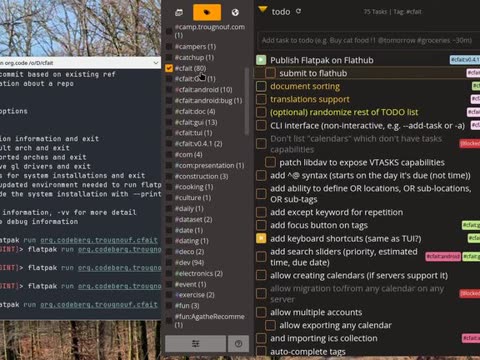
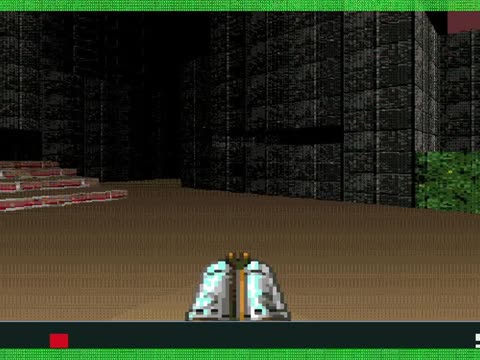
Stills: NASA (public domain); "Cooking Chicken and Rice", Alabama Extension (CC0); "Screencast of Cfait", Trougnouf (CC0); "Anarch" gameplay captured by KittyTeggie (public domain). From Wikimedia Commons.
Can I remove background music from video online free?
Yes. You can remove music from video free in your browser, with nothing to install. You get 1 free video a day up to 10 minutes with no account, plus 1 more on the day you sign up. Saved videos have no watermark.
Will the voice sound the same?
Mostly yes. The voice is separated from the music rather than filtered, so it keeps its tone. Where the music was very loud, the voice can sound slightly thinner in those seconds. Play the result before you save it.
Does it work on MP4 from my phone?
Yes. MP4, MOV (including iPhone videos) and WebM are supported. You get the same format back.
Can I remove music from a YouTube video?
Download your own video first, then upload the file here. We don't take links. Only remove music from videos you have the right to edit.
What if the music has vocals?
The singer's voice is kept along with the speech, because both are voices. If you need only the speaker, the result will still include the sung parts.
Can I keep the music and remove the voice instead?
Yes. The same upload gives both tracks. Choose "Music only" on the result, or start from the page on removing the voice from a video.
Not affiliated with ElevenLabs or any other voice isolator product.